
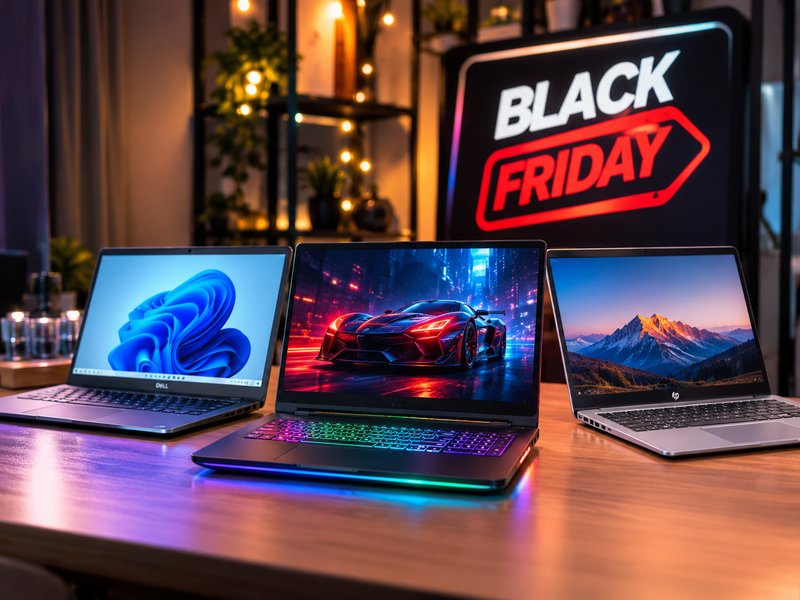
Black Friday is Friday, 27 November 2026 and Cyber Monday is Monday, 30 November. Early laptop deals are already live, including $200 off the 2026 M5 MacBook Air at Amazon and up to $300 off M5 MacBook Pros at B&H Photo. But 2026 is different: a shortage of memory and storage chips, driven by AI data-centre demand, has pushed laptop prices up, so expect real discounts from higher starting prices rather than record lows. Gaming laptops were reported to be roughly 38% more expensive than at last year’s Black Friday as of September.
Why Laptop Prices Are Different This Black Friday
In previous years, Black Friday meant steep drops on laptops. In 2026 the context has changed. RAM and SSD prices have risen sharply because of the surge in AI data-centre construction, and manufacturers have passed higher component costs on to buyers. Reports note that even the popular MacBook Air M4, a standout deal last year, now costs more than its successor in many stores.
What this means for you:
- Discounts still exist, but starting prices are higher.
- Laptops with more RAM and storage are the most affected.
- If you need a laptop, waiting for a much lower price next year is a risk, since component costs may keep rising.
Black Friday 2026 Laptop Deal Dates
| Date | What to expect |
|---|---|
| Early November | Early offers from Amazon, Best Buy, B&H, Dell and others |
| Around 23 November | Deal volume rises sharply in Black Week |
| Friday, 27 November | Black Friday: peak number of laptop deals |
| Monday, 30 November | Cyber Monday: extended and leftover deals |
| Early December | Late offers and clearance |
Best Laptop Deals by Type
MacBook Deals
Early discounts are already live: around $200 off the 2026 M5 MacBook Air at Amazon (about £200 off in the UK), up to $300 off M5 MacBook Pros at B&H Photo, and restored MacBooks from $399 at Walmart. Refurbished MacBooks from sellers like Back Market are another way to save.
Best for: students, creators and professionals who want long battery life and strong resale value. Buying tip: MacBook discounts are typically modest, around $200 on Airs and $300 on Pros, so an early deal may already be near the best price you will see this year.
Gaming Laptop Deals
Gaming laptops are the hardest hit by component costs. Even so, discounts remain, especially on RTX 4050 and RTX 5050 class models from brands such as Acer, MSI, Lenovo and Alienware.
How to save more:
- Choose a Full HD display instead of QHD.
- Skip OLED unless you truly need it.
- Prioritise the GPU and cooling over a premium chassis.
- Check RAM (16GB minimum) and SSD (512GB to 1TB).
Best for: gamers on a budget who care about frame rate more than display extras.
Business and Productivity Laptops
Look for Dell, HP, Lenovo ThinkPad and similar business lines, where Black Friday often brings bundles with extra RAM, longer warranties and on-site service. Dell’s Black Friday sale last year offered 32GB RAM builds at deep discounts, so watch for similar memory-rich configurations this year.
Best for: professionals, freelancers and small businesses that value reliability, security features and warranty coverage.
Student Laptop Deals
Students get the most value from budget Windows laptops, Chromebooks and older-generation MacBooks. Retailers list models such as the Dell Inspiron 15 and Lenovo IdeaPad 1i at low prices, but check specs carefully: some very cheap deals use dual-core processors or 8GB of RAM, which can feel slow.
Best for: note-taking, research, video calls and light coding. Minimum recommended: 8GB RAM (16GB if you can), SSD storage, and at least 8 hours of battery life.
Budget Laptops Under $500 and $1,000
Below $1,000 you can still find strong value, including Windows ultrabooks and entry gaming laptops. Compare the effective price against price history to confirm the discount is genuine.
How to Choose the Right Laptop
| Need | What to prioritise |
|---|---|
| Gaming | GPU (RTX 4050 or better), 16GB RAM, 1TB SSD, good cooling, 144Hz+ display |
| Business | Battery life, keyboard, security features, warranty, 16GB RAM |
| Student | Price, weight, battery life, 8 to 16GB RAM, SSD |
| Creative work | Colour-accurate display, 16 to 32GB RAM, strong CPU or GPU |
| General use | Balanced CPU, 16GB RAM and 512GB SSD |
8 Tips to Get the Best Laptop Deal
- Set your target spec and budget before the sales begin.
- Check price history to avoid inflated “was” prices.
- Prioritise RAM and SSD, since upgrades are costly or impossible later.
- Compare last year’s model if it has the specs you need at a lower price.
- Read the fine print on processor, display and storage in “doorbuster” models.
- Check return and warranty terms, including extended holiday returns.
- Consider refurbished from reputable sellers with a warranty.
- Buy from official stores and watch for fake sites and coupon scams.
Should You Buy Now or Wait?
Buy now if a deal matches your target price and spec, especially for MacBooks, where early offers can already be close to the best available. Wait if you are shopping for a gaming laptop or business model, where Black Friday and Cyber Monday bundles often improve on early discounts. Given 2026’s component-cost pressure, avoid waiting past Cyber Monday if you need a laptop soon.
Frequently Asked Questions
Many retailers began in early November, with deal volume rising around 23 November and peaking on Black Friday, 27 November.
There are discounts, but starting prices are higher than usual because of RAM and SSD shortages, so expect fewer record lows.
Early offers include about $200 off M5 MacBook Airs and up to $300 off M5 MacBook Pros at some retailers. These are typical MacBook discounts.
If you need one, yes, but prices are higher than last year. Choosing a Full HD display and a mid-range GPU helps keep costs down.
A balanced Windows laptop or an older MacBook with at least 8GB of RAM and an SSD, with 16GB preferred.
