
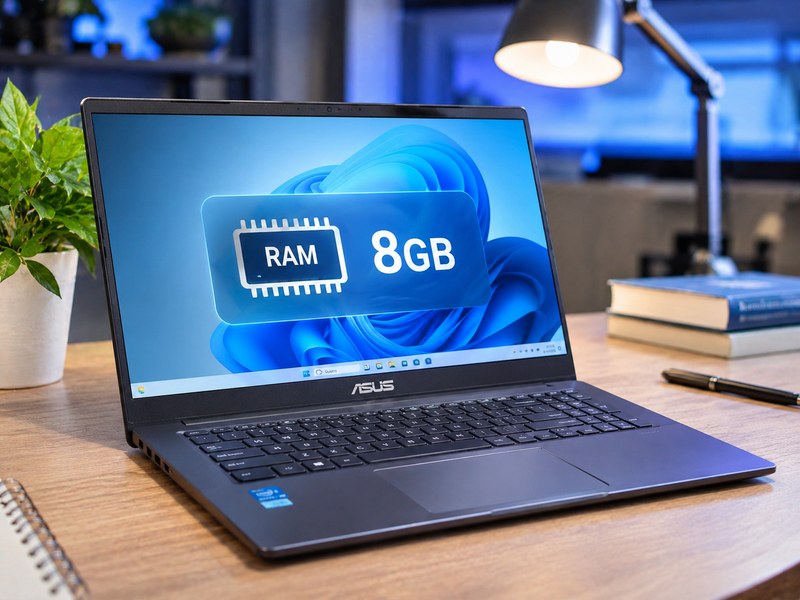
Most Asus laptops today ship with at least 16GB of RAM. That may change for cheaper models. Asus leadership has said that rising memory prices could push some budget machines back to 8GB. Here is what was said, why it matters, and how to avoid a laptop that frustrates you.
What Asus said
The comments came on Asus’s Q3 2026 earnings call, as reported by PCMag. Like other PC makers, Asus has been raising prices to cover more expensive memory. Co-CEO S.Y. Hsu indicated that approach has limits for cheaper laptops.
In his words, Asus can no longer pass “100% of the memory price increases” on to customers. For midrange and low-end models, he said buyers simply won’t accept the full pass-through. The alternative is to cut the specs: machines that used to ship with 16GB could now ship with 8GB.
In short, if prices can’t keep rising, the RAM shrinks instead.
Has it happened yet?
Not in any newly launched Asus product, according to the report. In October, Asus announced the ExpertBook A7 with 16GB of RAM and 512GB of storage. It also confirmed a later version with 12GB. The Verge reported that Asus had first briefed that model with 8GB before correcting the spec, which hints at some internal uncertainty about how low the company would go.
Why Asus says 8GB is acceptable
Hsu argued the old 16GB baseline was about guaranteeing a good user experience, and that Windows has since improved. He said Asus worked with Microsoft on optimization, and that recent changes make 8GB “an acceptable experience.”
Microsoft backed this up in early November, explaining that changes in Windows 11 make 8GB PCs up to 20% more responsive and up to 40% faster at multitasking. It also reduced memory use in other areas, such as making widgets less demanding.
The skeptic’s view
Not everyone is convinced. Before those updates, PCMag’s Chris Hoffman tested a Windows 11 Surface Laptop with 8GB of RAM and found it sluggish, even with light multitasking, and very slow with heavy apps like Photoshop. His conclusion in August was that Microsoft had a lot of work to do before he could recommend an 8GB PC.
That test predates Microsoft’s November improvements, so the gap may be smaller now. Independent testing of the updated Windows 11 on 8GB machines is what will settle it.
What this means if you’re buying a laptop
1. Check the RAM before you check the price. A discount can hide a spec cut. Two models with similar names may have different memory.
2. Look at the tasks you actually do. 8GB may be fine for browsing, documents, streaming and video calls. It gets tight with many browser tabs plus other apps, photo or video editing, and heavy multitasking.
3. Check whether the RAM is upgradeable. Many thin laptops solder the memory to the board, so you can’t add more later. If you buy 8GB, you’re stuck with 8GB.
4. Compare variants carefully. As the ExpertBook case shows, one product line can come in several RAM configurations. Read the exact model number.
5. Consider buying now if you need 16GB. If memory costs keep rising, 16GB models could get pricier or scarcer in the budget tier. That’s speculation, but worth weighing if you plan to buy soon.
The bigger picture
This isn’t just an Asus story. Memory costs are squeezing the whole PC industry, and companies can only raise prices so far before sales suffer. Cutting specs is a quiet way to protect price points, and buyers often notice only after purchase. Expect more scrutiny of spec sheets in the coming months.
Frequently Asked Questions
For light use, it can work, and Microsoft says recent updates improved responsiveness. For heavy multitasking or demanding apps like Photoshop, 16GB is still the safer choice.
No. The comments were about select midrange and low-end models, and no newly launched Asus product has shipped this way yet.
None have been named. Watch the exact RAM listed on any budget model before you buy.
Asus and other PC makers point to higher memory costs.
It depends on the laptop. Many models solder the memory in place, so check the spec sheet or reviews first.
