
Instagram Edits Adds Halloween Effects, New Text Animations and Video Editing Tools
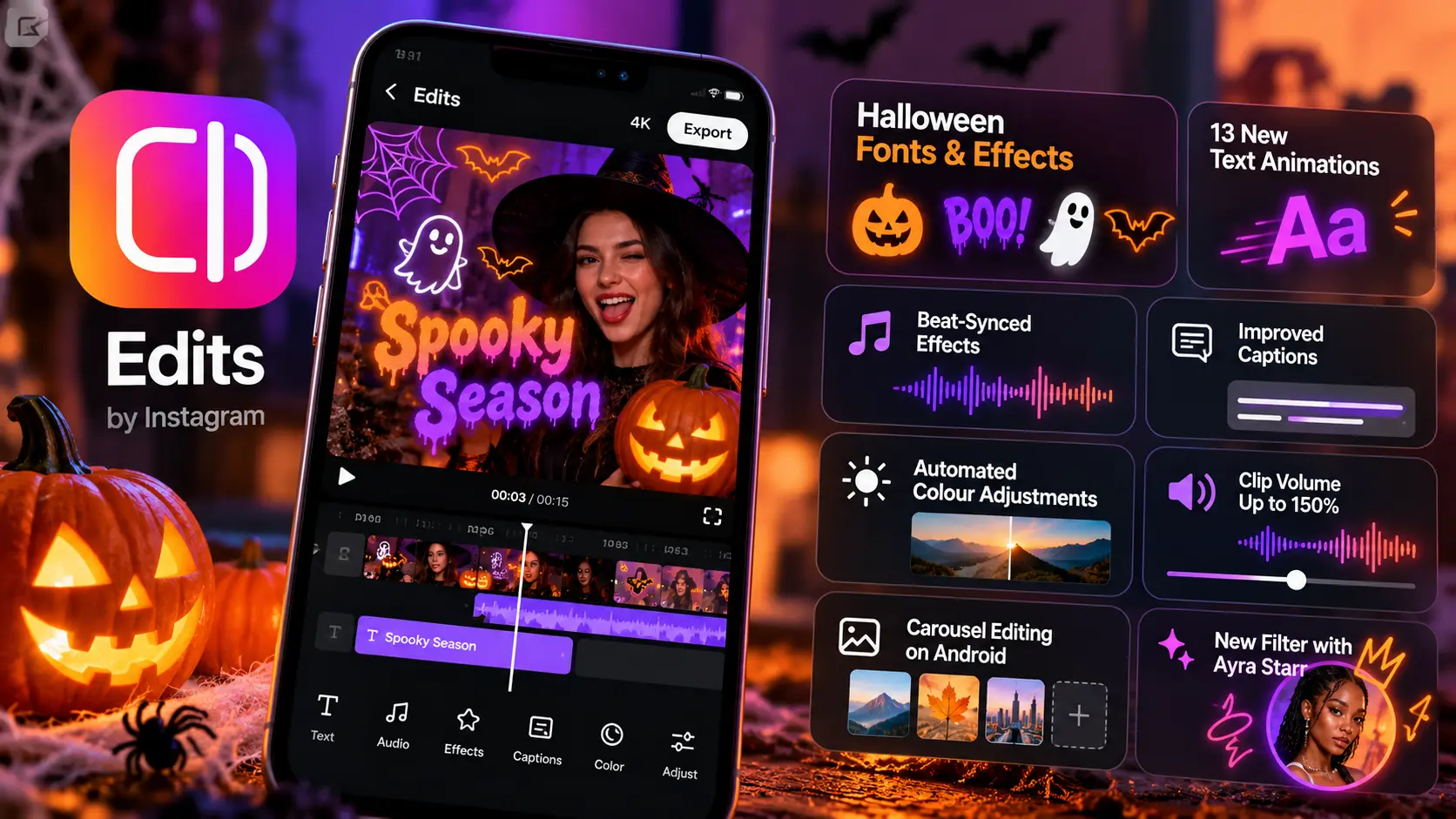
Meta is expanding its video editing app, Edits, with a fresh set of Halloween-themed creative options and practical improvements designed to help creators produce more engaging short-form videos. The latest update introduces spooky fonts, sound effects, animations, improved caption editing, automated colour adjustments and additional audio controls.
Announced on October 27, 2026, the update arrives just ahead of Halloween, giving Instagram creators, influencers and brands more ways to create seasonal Reels without relying entirely on third-party editing software.
Social Media Today
The update also includes improvements to beat-synced effects and expands the app’s carousel editor to Android devices, strengthening Edits as a video and social content creation tool.
What Is New in Instagram Edits?
Meta’s latest update focuses on creative flexibility, easier editing and tools that help creators produce polished videos directly within the app.
Here are the major additions:
-
Halloween-themed fonts, animations and sound effects.
-
13 new text animations.
-
Beat-synced visual effects, including flashing lights and zooms.
-
More caption styles and bulk caption editing.
-
Automated colour adjustments.
-
Individual clip volume control of up to 150%.
-
Carousel editing support on Android.
-
A new filter developed in collaboration with Nigerian musician Ayra Starr.
Social Media Today
These additions combine seasonal features with everyday editing improvements, making the update relevant to creators beyond Halloween.
1. Halloween Fonts, Sound Effects and Animations
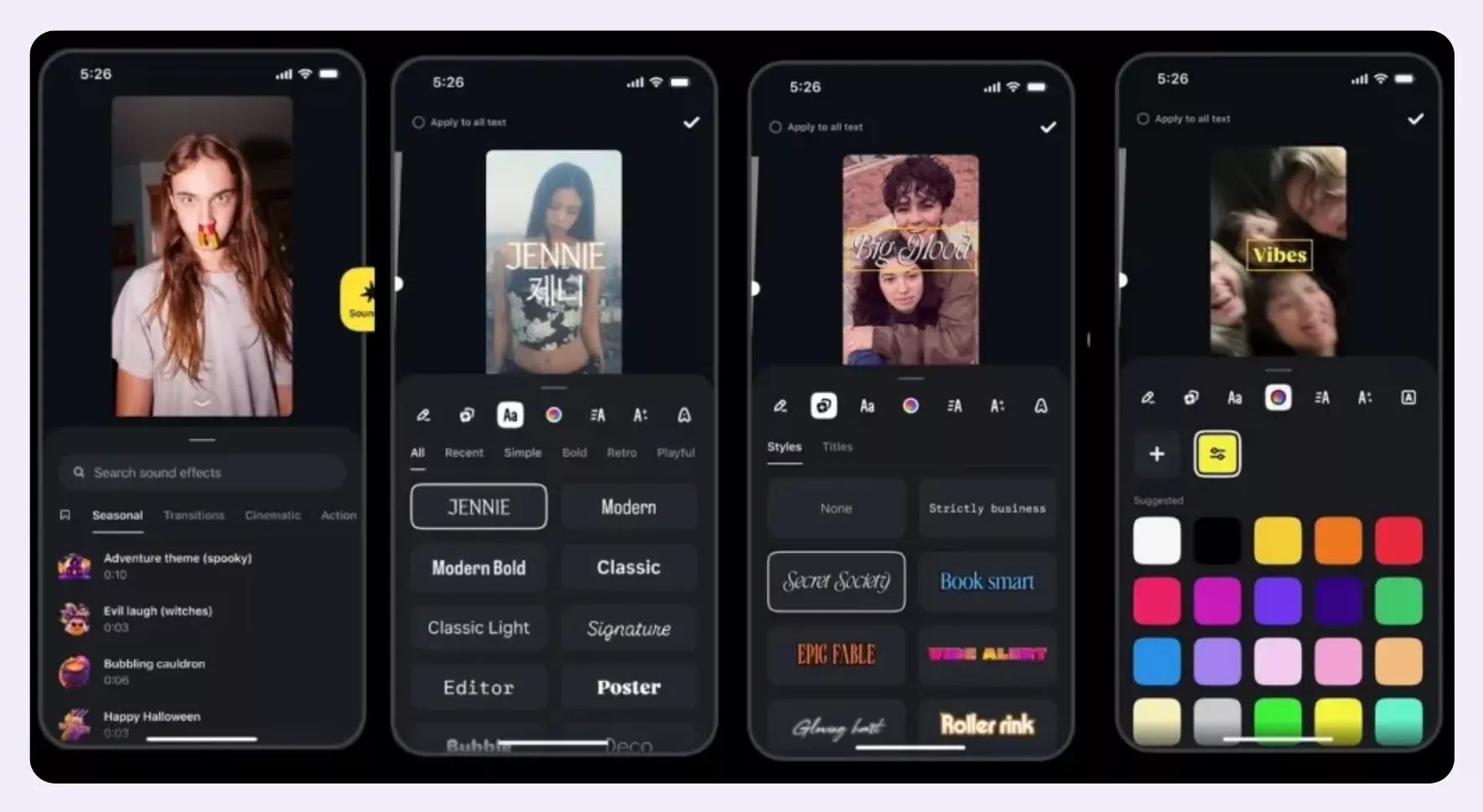
One of the highlights of the update is the addition of Halloween-themed fonts, sound effects and animations. These tools let creators give their videos a spooky atmosphere without having to build every visual element manually.
The app also introduces 13 new text animations, providing more options for animated titles, opening hooks and on-screen messages.
Creators can use these features for Halloween-themed Instagram Reels, costume transformations, haunted-house videos, seasonal product promotions and short horror stories.
2. Beat-Synced Effects Make Videos More Dynamic
Edits is adding beat-synced visual effects that automatically align with a video’s music and sounds. The available effects include flashing lights and zoom movements.
This can help creators synchronise visual transitions with music without manually adjusting every effect on the timeline.
For example, a creator making a Halloween transformation Reel could synchronise a zoom with a musical beat and reveal a costume change at the right moment.
Beat-synced effects can also be useful for dance videos, product showcases, travel montages and promotional clips. Creators should use flashing effects carefully to avoid making videos uncomfortable for viewers who are sensitive to them.
3. Improved Captions and Bulk Editing
Captions are important for making short-form videos easier to follow, particularly when viewers watch without sound.
The latest Edits update adds more caption styles and bulk-editing capabilities. These improvements can make it easier to adjust captions across a project instead of editing each element individually.
For creators and social media managers producing multiple videos each week, this could help reduce repetitive editing work.
Useful applications include:
-
Adding readable captions to educational videos.
-
Maintaining consistent text styling across a series of Reels.
-
Correcting caption formatting across multiple segments.
-
Making product demonstrations easier to understand.
-
Creating more accessible content for viewers who prefer reading along.
Creators should still review automatically generated captions for spelling, names, technical terms and transcription errors before publishing.
4. Automated Colour Adjustments and Better Audio Control
The update also introduces automated colour adjustment tools to help creators balance brightness and colour in their footage.
This can be particularly useful when clips are recorded under different lighting conditions. Rather than adjusting every clip from scratch, creators can use the new tools to help achieve a more consistent visual appearance.
Edits also allows individual clip volume to be increased to 150% within a project. This provides additional control when a recorded segment is quieter than the surrounding footage.
However, increasing volume does not necessarily improve audio quality. Creators should check for background noise, distortion and abrupt differences in loudness before exporting their videos.
5. Carousel Editing Comes to Android
Meta has expanded Edits’ carousel editor to Android devices. The feature was added to the iOS version earlier in October.
Carousel posts allow users to publish multiple images or visual slides in a single Instagram post. They are commonly used for educational content, tutorials, product collections, step-by-step guides and brand storytelling.
Bringing carousel editing to Android gives more creators access to this workflow within Edits. It could also help social media teams manage short-form video and multi-slide content using the same editing app.
6. New Filter Created with Ayra Starr
The update also introduces a new filter developed in collaboration with Nigerian musician Ayra Starr.
Creator and artist collaborations can bring fresh visual styles to editing tools while giving fans and creators additional ways to personalise their content.
The new filter adds another creative option to Edits’ expanding collection of effects and customisation features. Users can check the app to see whether it is available on their device and account.
What Do These Updates Mean for Content Creators and Brands?
The latest changes show how Meta is developing Edits beyond a basic mobile video editor.
For individual creators, built-in animations, sound effects and editing controls can simplify the process of producing polished videos. For brands, the features offer more ways to create seasonal campaigns and maintain a consistent visual style.
Here are some practical ways to use the updated tools:
| Content type | How to use Edits |
|---|---|
| Halloween campaigns | Combine spooky fonts, sound effects and animated titles |
| Instagram Reels | Use beat-synced effects for transitions and reveals |
| Educational videos | Add readable captions and consistent text styles |
| Product promotions | Improve colour balance and audio clarity |
| Carousel posts | Create multi-slide tutorials and product showcases |
| Influencer content | Experiment with filters, animations and custom visual styles |
These tools can improve the editing workflow, but they do not guarantee higher reach or engagement. Content performance still depends on audience relevance, creative quality, storytelling and how effectively the video communicates its message.
Is Edits Becoming an Alternative to CapCut?
Meta’s ongoing investment in Edits puts it in a stronger position to compete with other mobile video editing applications, including CapCut.
As more editing features are integrated into one app, creators may find it easier to produce content without switching between multiple tools.
Edits is particularly relevant to creators who publish frequently on Instagram and want a workflow built around short-form social content. However, the best choice depends on individual needs, preferred editing controls, available effects and export requirements.
Meta has also indicated that a desktop version of Edits is coming, which could expand its usefulness for creators who prefer working on larger screens. The latest report does not specify a confirmed desktop release date.
Frequently Asked Questions (FAQs)
What is new in the Instagram Edits app?
The latest update adds Halloween-themed fonts and sound effects, 13 text animations, beat-synced effects, more caption styles, bulk editing, automated colour adjustments and improved volume controls.
Can I create Halloween Reels using Edits?
Yes. The Halloween-themed creative tools are designed to help users produce spooky videos with seasonal fonts, animations and sound effects.
Does Edits support carousel editing on Android?
Yes. Meta has expanded the Edits carousel editor to Android devices, following its earlier availability on iOS.
Can Edits automatically sync effects with music?
The app includes beat-synced effects that automatically align selected visual effects, such as flashes and zooms, with music and sounds.
Is Instagram Edits an alternative to CapCut?
Edits is an option for creators looking for an integrated mobile video editing workflow, particularly for Instagram content. Whether it is a better fit than CapCut depends on the features and workflow each creator needs.
Is Edits coming to desktop?
A desktop version is expected, according to the October 2026 report, but a confirmed release date has not been specified.
Conclusion
Meta’s latest Edits update combines Halloween-themed creative features with practical improvements to captions, audio, colour adjustments and carousel editing. The changes make the app more useful for creators who want to produce short-form videos and social media content with fewer editing steps.
For brands and social media managers, the update offers new ways to develop seasonal campaigns and experiment with engaging video formats. As Edits continues to evolve, it will be worth watching how Meta expands its editing capabilities and whether the planned desktop version makes the platform more useful for professional content production.
For now, creators can explore the new features and identify which ones best fit their content strategy.
